nover Loading board — 12%
Links
Sheet C · Calling card

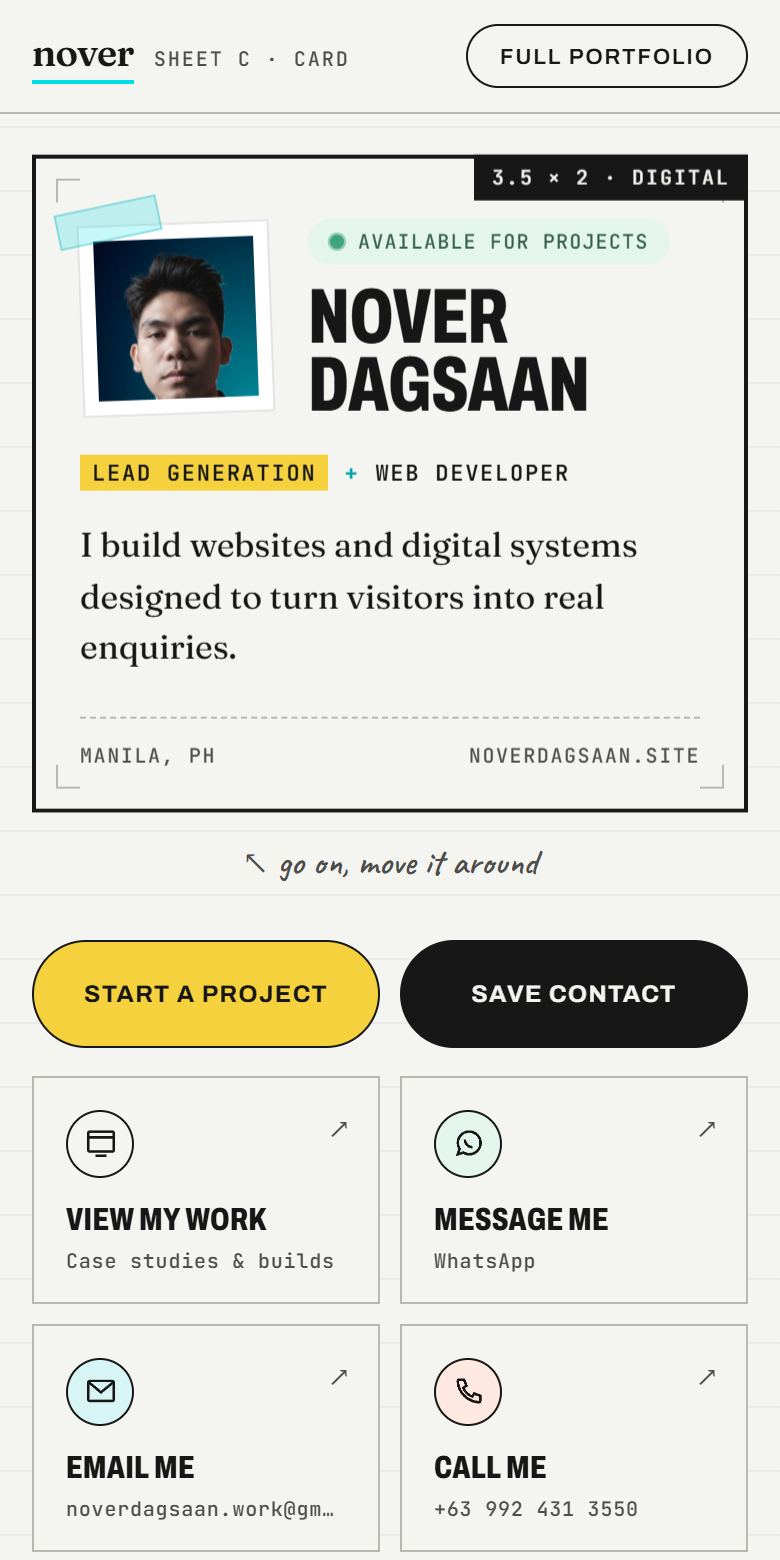
Nover Dagsaan

Lead GenerationWeb Developer

I build websites and digital systems designed to turn visitors into real enquiries.

View full digital card
QR code for noverdagsaan.site/cardOn your phone? Scan to open the card at noverdagsaan.site/card
Open — Oct
Pricing Philippine clients · prices in PHP

Small Business Essentials 🇵🇭

Small digital solutions built to help customers find you, understand your offer, and take the next step.

Designed for Filipino freelancers, professionals, and small businesses that need a practical online presence or a simple way to capture customer interest before investing in a full website.

start small today. upgrade when your business is ready.

How these are built

More than just setup

These services are built around your customer journey — from the moment someone scans, clicks, or visits, to the point where they understand your offer and know what to do next.

I can use practical free or low-cost tools when they fit the project, so you only pay for the setup, customization, integration, and implementation you actually need. The fee covers planning, setup, customization, design, integration, testing, and handoff.

  1. 01Designed around your business
  2. 02Mobile-first and customer-friendly
  3. 03Connected to clear calls-to-action
  4. 04Tested before handoff
§ 01

Digital Business Touchpoints


help customers find you, understand you and reach you

Digital + QR Calling Card

Typical project range ₱1,450–₱3,000
3 packages · 30 to 65 physical cardsStandard · Plus · Premium

A connected physical + digital calling card experience designed to make it easier for people to learn about you, save your contact details, and take the next step.

Choose the package that fits how often you share your card and how premium you want the physical experience to feel.

  • Mobile-first
  • QR included
  • Save Contact
  • Customer CTAs
See Live Example

Custom Link-in-Bio Page

Typical project range ₱1,300–₱3,500

A custom mobile-first link page that puts your most important business actions, links, services, and contact options into one branded experience.

More than a list of links — designed to guide visitors toward the actions that matter.

  • Custom branding
  • Mobile-first
  • Clear CTAs
  • Social + business links
  • Lead-focused structure
See Live Example

Digital QR Menu

Typical project range ₱2,000–₱4,000

A branded mobile-friendly menu customers can access instantly by scanning a reusable QR code — designed to make your products or services easy to browse from any phone.

  • Mobile-first
  • QR included
  • Custom branding
  • Easy-to-browse menu
  • Print-ready QR asset
See Live Example
§ 02

Enquiry & Lead Capture


better-quality enquiries, not random messages

Business Enquiry Setup

Typical project range ₱1,500–₱3,500

A custom enquiry flow designed to collect the right customer information, notify your business instantly, and give customers a clear confirmation after they submit.

  • Custom business-specific form
  • Owner email notification
  • Customer confirmation
  • Mobile-first
  • QR-ready
  • Basic lead storage
See Live Example

✱ Prices are flexible ranges. Where your project lands depends on its content, functionality, integrations, and requirements.

Third-party subscriptions, domain registration, premium services, printing and other external costs aren't included unless they're stated in your project scope. I'll point out anything your project needs before we start.

The next level

Need a complete website instead?

These smaller setups are great for getting started. If you need a complete website, lead-generation system, e-commerce setup, or simple web app, explore my full Philippine website packages.

Starter Website Typical range ₱15,000–₱20,000
Growth / Lead Generation Typical range ₱20,000–₱35,000
System / Simple Web App Typical range ₱35,000–₱60,000+
View Full Website Packages
Full scope · Small Business Essentials

Digital + QR Calling Card

Package StandardPlusPremium 30 physical cards · 25 matte + 5 premium PVC50 physical cards · 40 matte + 10 premium PVC65 physical cards · 50 matte + 15 premium PVC · custom quote

A connected physical + digital calling card experience designed to make it easier for people to learn about you, save your contact details, and take the next step.

Not just printing: the package covers the digital experience, branding, contact actions, QR integration, the physical-to-digital connection, frontend implementation, testing and print preparation.

Choose your package
Standard package · custom quote

Essential Digital + QR Setup

A practical starting package for everyday networking and small business use.

Includes
  • 1 custom Digital Calling Card
  • Custom branding
  • Mobile-first responsive design
  • Custom QR code
  • Save Contact functionality
  • Call / Email / Message buttons
  • Social and website links
  • Front + back physical card design
  • 25 matte calling cards
  • 5 premium PVC calling cards
  • Print-ready files
  • QR testing
  • Deployment
  • Basic handoff
Best for
  • Freelancers
  • Professionals
  • Small business owners
  • First-time calling card setup
  • Everyday networking
Plus package · custom quote

More Customization + More Cards

More physical cards and stronger customization for businesses that network more often.

Everything in Standard, plus
  • More customized digital card styling
  • Additional content or service sections
  • Stronger CTA customization
  • Extra social / business links
  • More detailed physical card preparation
  • 40 matte calling cards
  • 10 premium PVC calling cards
  • Additional revision allowance
  • More detailed print preparation
  • Expanded handoff assets
Best for
  • Active freelancers
  • Sales professionals
  • Consultants
  • Service businesses
  • Frequent networking
  • Small teams & client-facing professionals
Premium package · custom quote

Premium Branding + Larger Card Set

A more premium physical + digital identity for professionals who want stronger branding and a larger card set.

Everything in Plus, plus
  • More advanced digital calling card presentation
  • Stronger brand customization
  • More detailed layout hierarchy
  • Premium physical card presentation
  • Larger physical card quantity
  • 50 matte calling cards
  • 15 premium PVC calling cards
  • More detailed testing
  • Additional preparation for premium use
  • Expanded delivery / handoff assets
Best for
  • Executives
  • Consultants
  • Business owners
  • Premium personal branding
  • High-frequency networking
  • Professionals meeting many clients
01

Digital Calling Card

A mobile-friendly profile page designed to help customers quickly understand who you are, what you offer, and how to contact you.

  • Name or business name
  • Professional title
  • Profile photo or logo
  • Short introduction
  • Business / service description
  • Services overview
  • Mobile-first responsive layout
  • Clear primary CTA

Plus: more customized styling and additional content or service sections.

Premium: more advanced presentation and a more detailed layout hierarchy, plus everything in Plus.

02

QR integration

The QR code connects the physical calling card directly to the digital experience. It's part of the package, not a separate product.

  • Custom QR code
  • High-resolution PNG
  • SVG / vector when practical
  • Print-ready QR asset
  • Proper contrast & quiet space
  • Mobile scan testing
03

Save Contact

Visitors can save your contact details directly to their phone using a vCard (.vcf) contact file.

  • Name
  • Business / company
  • Position / title
  • Phone
  • Email
  • Website

Only the details you supply are included.

04

Contact actions

Buttons matched to how your customers actually reach you, plus one clear next step that suits your business.

  • Call
  • Email
  • Messenger / WhatsApp
  • Social links
  • Website / portfolio
  • Start a Project
  • Get a Quote
  • Send an Enquiry
  • Message Me
  • Book a Consultation
  • View Services

Includes stronger CTA customization and extra social / business links.

05

Custom branding

Brand colors, typography, logo / profile integration and button styling across both the digital page and the physical cards, so they feel like one connected identity.

Premium: stronger brand customization throughout.

06

Front + back design

Simple, professional layouts that don't overload the card. Matte cards use a standard business-card layout; PVC cards are adapted to the printer's standard ID-card dimensions, with one consistent visual identity.

Front
  • Name & business name
  • Professional title
  • Logo
  • Short positioning statement
Back
  • QR code
  • Short CTA
  • Contact information
  • Digital card URL

Plus: more detailed physical card preparation.

Premium: premium physical card presentation.

07

Print-ready files

  • Front & back print files
  • High-resolution output
  • Print-ready PDF
  • PNG / JPG preview
  • Safe margins & bleed
  • Reusable for reprints

More detailed print preparation.

Additional preparation for premium use.

08

Testing

  • QR readability & destination
  • Text readability
  • Front / back alignment
  • Colors & spacing
  • Mobile responsiveness
  • Buttons, links & Save Contact

More detailed testing.

09

Deployment

Delivered as a live URL: a hosted page, an existing website route or a custom subpage, depending on the agreed setup.

Custom paid domains and paid hosting aren't included unless quoted.

10

Handoff

  • Live Digital Calling Card URL
  • Your physical card set
  • Front & back design files
  • Print-ready PDF
  • QR PNG / SVG
  • Contact vCard file
  • Basic usage instructions

Basic handoff.

Expanded handoff assets.

Expanded delivery / handoff assets.

Optional upgrades · available upon request
  • Additional matte cards
  • Additional PVC cards
  • NFC-enabled card
  • Custom domain
  • Premium finish
  • Rounded corners
  • Card sleeve
  • Additional employee cards
  • Additional digital profiles
  • Larger print quantities
How pricing works

Final pricing depends on your selected package, customization, quantity, physical material, printing requirements, optional add-ons and delivery requirements.

Tell me what you need and I'll provide a clear quote before we start.

Need more than a calling card?

If the business needs multiple pages, detailed services, SEO content, large galleries, advanced lead capture, e-commerce, or more complex functionality, a Full Website package may be a better fit.

View Website Packages →
See Live Example ↗
Full scope · Small Business Essentials Typical project range ₱1,300–₱3,500

A custom mini landing page that organizes your digital presence and guides visitors toward the actions that matter most.

What you're paying for: strategy, page hierarchy, frontend design, branding, CTA placement, customer journey, responsive build, link setup, testing and deployment. Not a copy of a link-list template.

The customer journey
  1. Instagram / TikTok / Facebook / QR
  2. Custom Link-in-Bio Page
  3. Visitor understands the business
  4. Visitor chooses an action
  5. View services · Message · Enquire · Visit website · Buy
See it in action

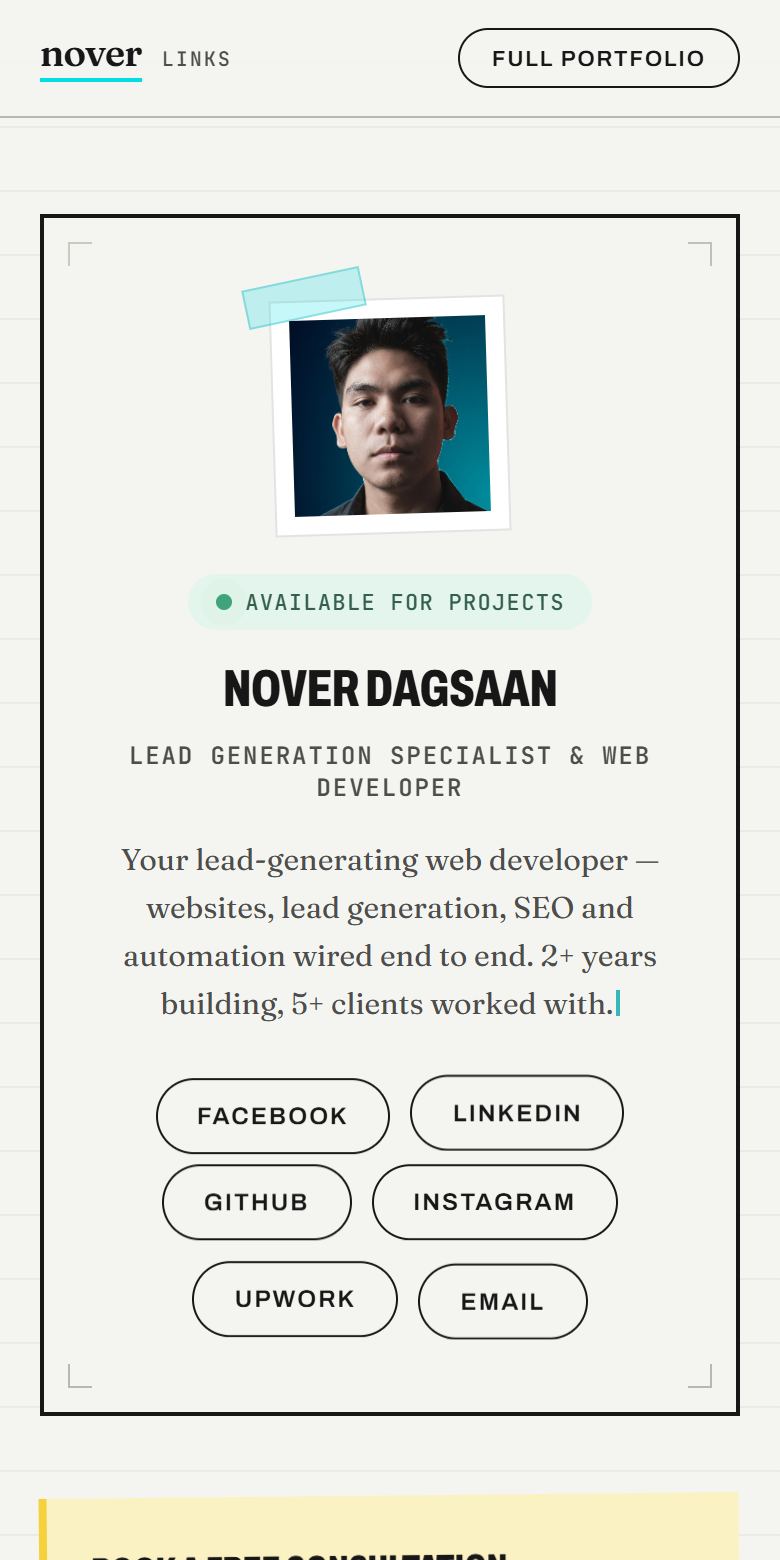
I use the same concept for my own link page

One clear booking action at the top, then WhatsApp, my work and my services. Every link has a job.

View My Link Page ↗
Preview of my link-in-bio page on a phone
01

Profile / brand header

The top of the page quickly tells visitors who you are, what you do, and why they should keep exploring.

  • Logo or profile image
  • Business or personal name
  • Professional title / business category
  • Short bio or positioning statement
  • Brand colors
  • Custom typography
  • Optional badge, when it suits the design
02

Priority actions

One or more main actions that visually stand out from the secondary links. This is the biggest difference from a plain list of buttons: visitors see what to do first.

  • Message Us
  • Get a Quote
  • Book a Consultation
  • View Services
  • View Menu
  • Visit Portfolio
  • Shop Now
  • Send an Enquiry
  • Call Now
03

Business links

Only the links you actually provide, for example:

  • Website
  • Facebook
  • Instagram
  • TikTok
  • LinkedIn
  • YouTube
  • GitHub
  • Online shop
  • Portfolio
  • Service page
  • Menu
  • Contact page
04

Services / offers

A compact section for your main services, featured packages, promotions, a current offer, a featured product or your main categories. Kept light on purpose: this isn't a full website.

05

Contact actions

Only the channels relevant to your business:

  • Call
  • Email
  • Messenger
  • WhatsApp
  • SMS
  • Contact form
  • Map / location
06

One lead-generation CTA

The page guides visitors toward a real business action instead of just handing them a list of links. One conversion-focused call to action, chosen for your business:

  • Get a Free Quote
  • Send an Enquiry
  • Request a Consultation
  • Start a Project
  • View Available Services
07

Optional mini enquiry form

A short form: name, contact details, a short message and the service needed. Advanced qualification logic, custom workflows, CRM integration or complex forms are quoted separately.

08

Social proof

Optional and lightweight: a short testimonial, client logos, a review score, a client count or a small portfolio preview. Only real information you supply; nothing invented.

09

Featured content

Optionally spotlight one thing: your latest project, a new product, a current promotion, a featured service, your latest video or article.

10

Custom branding

Designed around your brand, not a stack of identical buttons. Every client's page looks like their business.

  • Custom colors
  • Typography
  • Button styling
  • Layout hierarchy
  • Responsive spacing
  • Logo / profile image
11

Mobile-first design

Built for the phone first, since most visitors arrive from social apps, and works properly on tablet and desktop too.

  • Fast loading
  • Thumb-friendly buttons
  • Readable text
  • Large tap targets
  • Simple navigation
  • Clear CTA hierarchy
12

Custom URL options

If you already own a website, the page can live on it:

  • business.com/links
  • business.com/connect
  • business.com/social

If you don't have a domain, we'll use an agreed hosted URL or subdomain where appropriate.

Domain registration and paid hosting are separate when required.

13

QR compatible

Not a separate product: if you'd like, your page link can also be reached by QR on business cards, posters, menus, packaging, social graphics and other printed materials.

14

Analytics

Where the setup supports it and it's in scope: basic page visits, CTA clicks and outbound link clicks. Advanced analytics only when the chosen platform supports it.

15

Deployment

Set up and deployed on practical free or low-cost hosting when appropriate, based on the agreed setup. Third-party paid plans aren't included.

16

Testing before handoff

  • Mobile & desktop layout
  • Buttons & main CTA
  • External & social links
  • Contact actions
  • Enquiry form, if included
  • Page loading
  • Custom URL
17

Handoff

  • Live URL
  • Basic update instructions
  • List of configured links
  • QR asset, if included
  • How the page works
May require additional cost
  • Custom domain registration
  • Paid hosting
  • Premium analytics
  • Advanced forms
  • CRM integrations
  • Advanced automation
  • Large content sections
  • E-commerce functionality
  • Multiple custom pages

I'll point out anything your project needs before we start.

Need more than a link page?

If you need detailed service pages, SEO, multiple pages, advanced lead capture, e-commerce, or more complex functionality, a Full Website package may be a better fit.

View Website Packages →
See Live Example ↗
Full scope · Small Business Essentials

Digital QR Menu

Typical project range ₱2,000–₱4,000

A branded mobile menu that connects your physical business to a simple digital customer experience.

What you're paying for: planning, frontend design, menu structure, branding, mobile UX, QR integration, deployment, testing and the physical-to-digital customer journey. Not just a QR code.

The customer journey
  1. See physical QR
  2. Scan
  3. Open digital menu
  4. Browse
  5. Choose
  6. Take action
01

What it is: Digital QR Menu

A custom mobile-friendly menu connected to a reusable QR code. Customers scan the QR from a table, counter, poster, packaging, or printed material and instantly browse your products or services from their phone.

  1. Physical touchpoint
  2. QR
  3. Digital menu
  4. Browse
  5. Choose
  6. Take action
02

Menu structure

The final structure depends on your business. Possible inclusions:

  • Menu categories
  • Product / service names
  • Prices
  • Short descriptions
  • Product images, when provided
  • Tasting notes or item details
  • Size options
  • Add-ons
  • Featured items
  • Availability status
  • Dietary / product tags

Suitable for:

  • Cafés
  • Restaurants
  • Bars
  • Bakeries
  • Salons
  • Barbers
  • Clinics
  • Home service businesses
  • Freelancers
  • Small local service businesses

For non-food businesses, the same system works as a Digital Service Menu instead of a restaurant menu.

03

Mobile-first experience

Most customers will access the menu after scanning with their phone, so the experience is designed mobile-first. It also works properly on tablet and desktop.

  • Responsive design
  • Large touch targets
  • Easy-to-read prices
  • Simple category navigation
  • Fast loading
  • Clear visual hierarchy
  • Thumb-friendly interactions
04

Custom branding

Customized to your business rather than a generic restaurant template.

  • Business logo
  • Brand colors
  • Typography
  • Menu styling
  • Buttons
  • Product presentation
  • Layout hierarchy
05

QR code — included

Part of the Digital Menu service, not a separate product.

  • QR code linked to the live menu
  • High-resolution PNG
  • SVG / vector version, when practical
  • Print-friendly version
  • Mobile scanning test
  • Proper contrast
  • Appropriate quiet space

The QR code stays the same even when menu content changes, as long as the menu URL remains unchanged.

06

Live menu URL

If you already have a website, the menu can live on it:

  • business.com/menu
  • business.com/services

If you don't have a website, we'll use an agreed hosted project URL or subdomain.

Custom domain registration and paid hosting are separate when required.

07

Category navigation

Categories that fit the business, e.g. Coffee, Drinks, Food, Desserts, Products or Services, with sticky category navigation, a horizontal mobile category selector, or simple category filters. Advanced search isn't part of small projects unless required.

08

Item details

Each item may show name, price, short description, image, size, variants, add-ons, tags and availability. Optional detail view as an expandable card, modal or bottom sheet, depending on the project.

09

Featured items

Optional, visually restrained highlights for selected items:

  • Best seller
  • Barista pick
  • Featured
  • New
  • Popular
10

Availability / sold out

Simple display states such as Available, Sold Out or Unavailable Today. A display state only, not real-time inventory management, unless a larger system is requested.

11

Customer actions

Simple calls to action, only the ones relevant to your business:

  • Order at Counter
  • Ask Staff
  • Call
  • Message
  • Send Enquiry
  • View Product
  • Buy Online
  • Visit Website

Actual online ordering, payment processing, POS integration and kitchen systems are outside the basic Digital QR Menu scope.

12

E-commerce connection

Where appropriate, individual items can link to your existing online store, without duplicating a checkout inside the menu.

  1. Digital menu
  2. Coffee beans
  3. View product
  4. Existing e-commerce product page

Full online ordering or e-commerce is quoted separately.

13

Basic analytics

Optional, scope-dependent. If the project setup supports it: page visits, category clicks, product views and CTA clicks. No advanced analytics or paid analytics platforms in the base package.

14

Deployment

Menu page deployment, a route on your existing website or a hosted project URL, SSL when supported by hosting, and production testing. Practical free or low-cost hosting where appropriate; paid hosting is separate when required.

15

Testing before handoff

  • QR scanning
  • Menu URL
  • Mobile responsiveness
  • Desktop responsiveness
  • Category navigation
  • Product links
  • Prices
  • Buttons
  • Images
  • Availability states
  • External links
16

Handoff

  • Live menu URL
  • QR code files
  • Print-ready QR asset
  • Basic update instructions
  • Menu content list / configuration
  • Physical QR card design file, if included
Physical QR touchpoint

Put the menu where customers already are

The same QR can be placed on a physical table card, counter sign, sticker, menu, receipt, packaging, or poster. This connects your physical business location to the digital menu.

  • Table card
  • Table tent
  • Countertop sign
  • Sticker
  • Poster
  • Takeaway packaging
  • Receipt
  • Printed menu
Print-ready option

I can design and print the QR card for you, 10–20 pieces:

  • High-resolution PDF
  • PNG / JPG preview
  • SVG QR asset
  • Print-safe layout
  • Bleed & safe-margin consideration
  • 10–20 printed pieces

When you avail the printed QR card, printing of 10–20 pieces is included, plus the print-ready files so you can reprint at your preferred print shop. Larger print runs are quoted separately.

May require a larger project scope
  • Full online ordering
  • Shopping cart
  • Checkout
  • Payment gateway
  • POS integration
  • Kitchen display system
  • Delivery system
  • Customer accounts
  • Advanced inventory management
  • Admin dashboard
  • Complex CMS
  • CRM integrations
  • Advanced automation
  • Custom domain registration
  • Paid hosting

Not included by default. These can be discussed separately when required.

Menu updates after handoff

Future menu updates can be handled as small maintenance requests or through an optional maintenance arrangement. They aren't unlimited within the original project price.

  • Price updates
  • New menu items
  • Sold-out changes
  • Image changes
  • Seasonal menu updates

Need more than a Digital Menu?

If your business needs online ordering, payments, a complete website, advanced lead generation, or custom business functionality, a larger website or system package may be a better fit.

View Full Website Packages →
See Live Example ↗
Physical QR touchpoint · Morrow Coffee

The menu, on the table

Digital menu What are you drinking this morning? QR code that opens morrowcup.vercel.app/menu Scan the menu morrowcup.vercel.app/menu

Place it on your table, counter, packaging, or printed materials. One reusable QR connects the physical spot to your digital menu.

Scan the QR with your phone to try the live Morrow menu.

  1. Table card
  2. Scan
  3. Morrow menu
  4. Browse
  5. Order at counter
Full scope · Small Business Essentials

Business Enquiry Setup

Typical project range ₱1,500–₱3,500

A structured customer enquiry experience built around your business — designed to collect useful information, notify you when someone submits a request, and guide the customer toward the next step.

Not a “Custom Contact Form”. A structured enquiry system that helps your business collect better customer information and respond more effectively. What you're paying for: form strategy, business-specific questions, frontend design, mobile UX, lead capture, owner notifications, customer confirmation, lead storage, QR access, source tracking, validation, testing and deployment.

The customer journey
  1. Website / QR / Shared link
  2. Customer opens enquiry form
  3. Answers business-specific questions
  4. Enquiry is submitted
  5. Business gets notified
  6. Customer receives confirmation
  7. Business follows up
01

What it is

An enquiry flow designed around how your business actually takes on work. Instead of a generic “Name / Email / Message” box that leaves you asking follow-up questions, customers answer the questions you need before you call them back, you get a clear notification, and they get a clear confirmation.

02

Custom business-specific form

The form is structured around the information your business actually needs before following up. Possible fields, only the ones relevant to your business:

  • Full name
  • Email
  • Phone
  • Service needed
  • Location
  • Budget
  • Preferred date
  • Preferred time
  • Project / service details
  • Urgency
  • Preferred contact method
  • Additional notes

Every business gets its own questions. Not every form will have the same fields.

03

Conditional questions

Customers only see questions relevant to their request, helping keep the form simple while collecting better information. For example:

  • Selects “AC Repair” → repair-related questions
  • Selects “Installation” → installation-related questions
  • Selects “Other” → a custom description field

Simple conditional logic when appropriate. Complex conditional workflows are scope-dependent.

04

Mobile-first design

Many customers will open the enquiry flow from their phone, especially when coming from QR codes, social links, or mobile browsing. It also works properly on desktop and tablet.

  • Responsive layout
  • Large input controls
  • Correct mobile keyboard types
  • Clear field labels
  • Thumb-friendly buttons
  • Minimal typing
  • Easy-to-read validation
  • Progress indicator
05

Multi-step form

Scope-dependent. Where it helps, the form is split into simple steps so it never feels long:

  1. 1 · Contact information
  2. 2 · Service / enquiry details
  3. 3 · Schedule / preferences
  4. 4 · Review & submit

If a simple one-page form suits the project better, it stays one page.

06

Owner email notification

The owner email is designed for quick follow-up and contains the customer's submitted information in a clear format.

Email notifications need an appropriate email setup from the client; they can't be promised without one.

07

Customer confirmation

A different message for the customer: it confirms the request was received, summarizes the important details, explains what happens next, and gives emergency or contact instructions when relevant. The customer email is reassuring and customer-friendly; the owner email is operational and detailed.

08

On-screen success state

After submitting, the customer sees a clear confirmation screen with a next step that fits the business.

09

Basic lead storage

Where appropriate, enquiries can be stored so the business does not rely only on email notifications: in Supabase, a database, a spreadsheet, a CRM or an existing backend.

  • Customer details
  • Service type
  • Enquiry details
  • Submission date
  • Source
  • Status, e.g. NEW

A complete CRM dashboard isn't part of the base package.

10

Lead source tracking

This helps the business understand where enquiries are coming from: a website CTA, a side button, a QR card, Facebook, Instagram or a direct link.

  • source=website
  • source=qr
  • source=social

CoolAir's side button opens request-service?source=website-side-button. Advanced marketing attribution isn't in the basic package.

11

QR access

Optional and part of the same setup, not a separate product: the same enquiry form can be opened through a QR code placed on printed or physical materials. The QR points directly to the enquiry form.

  • Business cards
  • Flyers
  • Posters
  • Service vehicles
  • Store counters
  • Equipment stickers
  • Refrigerator magnets
  • Receipts
  • Product packaging
Physical QR touchpoint

A request form customers can find without searching

The digital enquiry system can be connected to a simple physical card or printed touchpoint so customers can submit a request without searching for the website.

For CoolAir, that's a service magnet on the fridge: AC not cooling? Tell us what's wrong in under 2 minutes. Scan the QR, and the request form opens.

  1. Service magnet
  2. Scan
  3. Request form
  4. Owner notified

Print-ready QR asset and card layout when included. Physical printing is not included unless specifically quoted.

12

Spam protection

Basic spam protection helps reduce fake or automated submissions.

  • Server-side validation
  • Client-side validation
  • Honeypot field
  • Rate limiting
  • Basic bot protection
  • Required field & email checks

Basic protection, not enterprise-grade security.

13

Form validation

Easy-to-understand checks, with friendly messages instead of technical errors.

  • Required fields
  • Email validation
  • Phone formatting
  • Friendly error messages
  • Invalid submission prevention
14

Optional photo / file upload

Scope-dependent, since it may require file storage. Optional photo uploads can help businesses understand the enquiry before following up: an HVAC problem, product damage, a repair issue, a reference image or a property's condition.

15

Urgency handling

For service businesses, an urgency field: Emergency, Today, Within a few days or Flexible. Where appropriate, emergency requests can show a prominent call button, a safety message or a direct emergency contact.

No medical, legal or safety guarantees.

16

Deployment / integration

The enquiry flow can be embedded into an existing website, placed on a dedicated route, hosted as a standalone small page, linked through QR, or linked from social media.

  • business.com/enquiry
  • business.com/request-service
  • business.com/get-quote

Custom domain registration and paid third-party services are separate when required.

17

Testing before handoff

  • Form submission
  • Mobile & desktop layout
  • Validation
  • Owner email
  • Customer confirmation
  • QR code & form links
  • Source tracking
  • File upload, if included
  • Success message
  • Stored lead data, where applicable
18

Handoff

  • Live enquiry URL
  • QR code asset
  • Form configuration
  • Basic update instructions
  • Email notification setup
  • Customer confirmation template
  • Physical QR card asset, if included
May require a larger project scope
  • Full CRM
  • Sales pipeline dashboard
  • Advanced automation
  • SMS automation
  • Advanced qualification logic
  • Complex file storage
  • Multiple departments
  • Automatic technician dispatch
  • Advanced appointment scheduling
  • Payment system
  • Customer portal
  • Admin dashboard
  • AI lead qualification
  • Paid third-party services
  • Custom domain registration
  • Paid hosting

Not included by default. These can be quoted separately when required.

Need a more advanced lead system?

Lead qualification, a CRM connection, automated follow-up, a booking system, a full lead-generation website or a custom business system are bigger projects. See the full website packages.

View Full Website Packages →
See Live Example ↗
Physical QR touchpoint · CoolAir HVAC

The request form, on the fridge

AC not cooling? Tell us what's wrong in under 2 minutes. QR code that opens coolair-hvac.vercel.app/request-service Scan to request service coolair-hvac.vercel.app/request-service Emergency? Call us directly.

Stick it on the fridge, the outdoor unit, or leave it behind after a service visit. One reusable QR connects the physical spot to the enquiry form, so customers never have to search for the website.

Scan the QR with your phone to try the live CoolAir request form.

  1. Service magnet
  2. Scan
  3. Request form
  4. Submit
  5. Owner + customer emails